
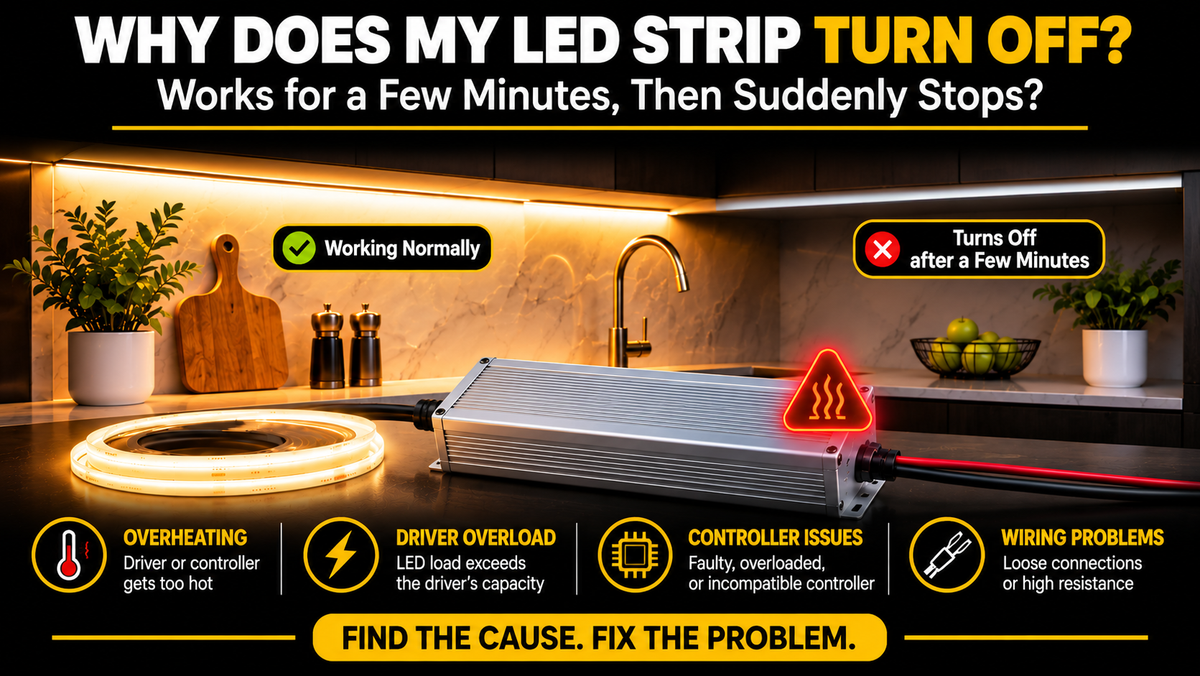
Why Does My LED Strip Turn Off After a Few Minutes? 10 Common Causes and Solutions
You turn on your LED strip lights, and everything looks normal.
The lighting is bright, the color is correct, and the installation seems to be working perfectly.
But after a few minutes, the lights suddenly turn off.
Sometimes they turn back on after a short break. Other times, you have to switch the power off and on again.
This is a frustrating problem, especially when your LED strips are installed in kitchen cabinets, ceiling coves, shelving, or other hard-to-reach locations.
The good news is that unexpected LED strip shutdowns often have identifiable causes.
The most common causes include an overheating LED driver, an overloaded power supply, poor electrical connections, or a controller entering protection mode.
However, several other issues can produce similar symptoms.
In this guide, we'll explain why LED strips turn off after a few minutes, how to recognize different failure patterns, and what you can do to prevent the problem.
1. The LED Driver Is Overheating
One of the most common reasons LED strip lights shut down after operating for several minutes is an overheating LED driver.
An LED driver converts incoming electrical power into the voltage required by the LED strip.
For many residential COB LED strip installations, this is a constant-voltage 12V or 24V DC power supply.
During normal operation, the driver generates heat.
If the temperature rises beyond its operating limits, its thermal protection system may shut down the output.
Common Signs of Driver Overheating
LED strips work normally when first turned on.
Lights turn off after several minutes.
The driver feels unusually hot.
Lighting works again after the system cools down.
The shutdown happens sooner during warm weather.
Why Does a Driver Overheat?
Possible causes include:
Insufficient ventilation
Installation inside a tightly enclosed cabinet
Excessive electrical load
High ambient temperature
Dust accumulation
Inadequate driver sizing
Internal component deterioration
How to Fix It
First, turn off the power and allow the system to cool.
Have a qualified installer check whether the driver is appropriately rated, adequately ventilated, and installed according to the manufacturer's requirements.
Do not cover the driver with insulation or place it in an enclosure that violates its installation instructions.
Important: A warm driver is not automatically defective. The concern is excessive temperature, repeated thermal shutdown, or operation outside the manufacturer's limits.
Where cabinet space is the constraint, our compact dimmable transformers use a smaller aluminum housing that fits a ventilated location more easily than a full-size unit. Operating temperature range is listed on every product page in the drivers and transformers range.
2. The Power Supply Is Overloaded
An undersized LED driver may initially power an LED strip successfully but later shut down when protection circuitry responds to an excessive load.
This can happen when the total wattage of the connected LED strips exceeds the driver's rated output.
Example: An Undersized 60W Driver
Suppose you install 20 feet of COB LED strip rated at 4W per foot.
The total load is:
20 ft × 4W/ft = 80W
If you connect this installation to a 60W LED driver, the driver is undersized.
Depending on its protection design, it may shut down, repeatedly restart, or behave unpredictably.
How to Calculate the Correct Driver Size
Use this formula:
LED Strip Length × Watts per Foot = Total LED Load
For an 80W installation, a driver rated around 100W or higher may be appropriate if the manufacturer's load, environmental, and installation requirements are satisfied.
A common design practice is to provide approximately 20–30% additional capacity, although the manufacturer's specific requirements take priority.
How to Fix It
Confirm the strip's actual wattage per foot.
Calculate the total connected load.
Check the driver's continuous output rating.
Consider ambient temperature and any required derating.
Select a compatible driver with adequate capacity.
Never increase the power supply's output voltage to compensate for insufficient wattage.
That example is close to a real installation: 20ft of our 10mm Indoor Dotless COB at 4.27 W/ft comes to about 85W, which calls for the 100W 5-in-1 driver as a minimum, or the 150W if the run may be extended later.
3. The LED Controller Is Overheating or Overloaded
Sometimes the LED driver is working correctly, but the LED controller is causing the shutdown.
Controllers regulate brightness, color, or color temperature.
Common controller types include:
Single-color dimming controllers
CCT controllers
RGB controllers
RGBW controllers
RGB+CCT controllers
Multi-mode 5-in-1 controllers
Like LED drivers, controllers have maximum electrical ratings.
What Happens When a Controller Is Overloaded?
An overloaded controller may:
Shut off its output
Restart unexpectedly
Stop responding to commands
Operate intermittently
Become excessively hot
Some controllers include thermal or overcurrent protection, but this should not be assumed for every model.
Example
A 24V LED strip system draws 8A.
If the selected controller is rated for only 6A total, it is not suitable for the load.
Even if the lighting initially works, the controller may overheat or fail.
How to Fix It
Check the controller's:
Input voltage range
Maximum current per channel
Maximum total current
Supported LED strip configuration
Operating temperature limits
For RGB+CCT installations, verify both the per-channel and total-current ratings.
A controller with five outputs does not necessarily support its maximum per-channel current on all channels simultaneously.
That 6A figure is the real per-channel rating of our FUT039, while the single-colour FUT036S is rated at 12A total. Where a zone genuinely needs more than the controller can pass, a PA5H 5-channel amplifier extends the load while following the same control signals — which is the correct fix rather than running a controller at its ceiling.
4. Loose or Poor Electrical Connections
Loose connections can cause intermittent operation, increased electrical resistance, and localized heating.
A connection may appear to work when the system is first powered on.
As the installation warms up, thermal expansion or an unstable contact can contribute to a loss of electrical continuity.
Common Problem Areas
LED strip connectors
Controller terminals
Driver output connections
Solder joints
Wire-to-wire connections
Extension cables
Warning Signs
Lights turn off when a cable is moved.
One section works intermittently.
A connector becomes unusually warm.
Lighting flickers before shutting down.
Discoloration appears around a terminal.
How to Fix It
Switch off the power before inspecting accessible low-voltage connections.
A qualified installer should check for loose terminals, damaged connectors, poor solder joints, and improperly sized wiring.
Replace damaged or heat-discolored components.
Do not continue using a connection that shows signs of overheating.
One way to reduce the number of field connections is to terminate the AC side inside the driver's own enclosure — see our transformers with integrated junction box.
5. The LED Driver Is Failing
LED drivers do not last forever.
Over time, internal electronic components may deteriorate.
A failing driver can sometimes operate when cold but become unstable as its internal temperature rises.
Common Symptoms
Lights turn off after a similar amount of time each day.
The system restarts after cooling.
The driver produces unusual buzzing.
The output becomes unstable.
Shutdowns become more frequent.
How to Identify a Failing Driver
A qualified technician can check the driver's output voltage under load and assess its performance against the manufacturer's specifications.
If the driver is failing, replacing it with a compatible unit is generally safer than attempting an internal repair.
What Should You Check Before Replacing It?
Make sure the original driver was not being overloaded or exposed to excessive heat.
Otherwise, the replacement may develop the same problem.
Because strips and drivers are sold separately, a failed driver means replacing one component rather than an entire run of strip. If the original output voltage is uncertain, a selectable unit such as the 60W 5-in-1 can be set to either 12V or 24V.
6. The LED Strip Is Overheating
Although LED strips are energy-efficient, they still generate heat.
If that heat cannot dissipate adequately, the LEDs and surrounding materials may experience elevated temperatures.
COB LED strips are particularly popular for continuous-looking architectural lighting, but they still require proper thermal management.
What Can Cause Excessive Strip Temperature?
Installation in an enclosed space
High ambient temperatures
Insufficient heat dissipation
Operation above rated voltage
Mounting on unsuitable surfaces
High-power strips installed without recommended profiles
Inappropriate installation methods
Power density is the main variable here: our 6.5mm Ultra Slim draws 1.83 W/ft while the 12mm Double-Row draws 7.32 W/ft — four times the heat through each foot of strip, and a correspondingly greater need for a proper mounting surface.
Can an Overheated Strip Turn Itself Off?
A conventional constant-voltage COB strip usually does not contain a complete thermal shutdown system.
However, overheating can damage the strip, affect connections, or cause an upstream controller or driver to enter protection mode.
How to Fix It
Follow the strip manufacturer's mounting instructions.
Use suitable aluminum LED channels where recommended.
Avoid covering strips with insulating materials.
Verify the correct operating voltage.
Ensure the installation environment is within the product's temperature limits.
Why Aluminum LED Channels Help
Aluminum channels can provide a thermal path that helps transfer heat away from the strip.
They also provide mechanical protection and a clean finished appearance.
The amount of cooling depends on the channel design, installation surface, airflow, and LED strip power.
7. The LED Strip Is Too Long for the Wiring Configuration
Long LED strip runs can create voltage drop.
Voltage drop occurs when electrical resistance in the strip conductors or connecting wires reduces the voltage available farther from the power supply.
Common Signs of Voltage Drop
The far end appears dimmer.
Brightness decreases along the strip.
Colors look different near the far end.
Lighting performance changes under heavier loads.
Does Voltage Drop Normally Turn Off the Entire Strip?
Not by itself.
Voltage drop more commonly causes reduced brightness or color inconsistencies.
However, an improperly designed long run may also involve excessive current, inadequate wiring, or overloaded components that contribute to shutdowns.
Example
A 24V COB strip may support a longer practical run than a comparable 12V strip under similar power and conductor conditions.
But the actual maximum run length depends on the strip's specifications.
Every strip in our COB range is 24V for this reason.
How to Fix It
Depending on the product and installation:
Reduce the length of individual runs.
Use parallel power feeds.
Supply power from both ends when permitted.
Increase wire size where appropriate.
Use separate appropriately rated drivers or controllers.
Follow the manufacturer's maximum-run guidance.
Do not assume that connecting both ends is appropriate for every LED strip or power supply arrangement.
For the parallel-feed approach, a 192W Dual-Channel or 288W Triple-Output transformer provides separate terminated feeds from one enclosure, rather than splices made in the field.
8. A Smart Controller, Timer, or Automation Is Turning the Lights Off
Not every unexpected shutdown is caused by an electrical fault.
Sometimes the LED system is receiving an OFF command.
Smart lighting systems may include:
WiFi controllers
RF remotes
Smartphone applications
Timers
Automation schedules
Voice assistants
Smart-home platforms
Possible Causes
An active timer
An automation schedule
A saved scene
An accidental remote command
Another paired control device
An unintended smart-home routine
Example
You turn on your living room COB lighting manually.
Five minutes later, an existing automation turns the same controller off.
The lighting system appears defective, even though the controller is following a programmed command.
How to Fix It
Review the controller's supported app settings, schedules, and paired control devices.
Temporarily disable relevant automations and test whether the shutdown continues.
Do not reset pairing or delete configurations until you understand the controller's setup.
This is worth checking first on app-based units such as the MiBoxer WL5, where schedules and scenes live in the Tuya app rather than on the device. It costs nothing to rule out and is a far more common explanation than a hardware fault. Specifications for every unit are on their pages in our controllers and remotes range.
9. The Driver's Input Power Is Unstable
An LED driver requires an appropriate AC input supply.
If the input voltage is unstable or the circuit experiences interruptions, the driver may stop supplying power.
Possible Causes
Loose upstream wiring
A faulty wall switch
An unsuitable electronic switch
Circuit interruptions
Incompatible dimming equipment
Problems with the electrical supply
Important Note About Wall Dimmers
Not every LED driver is compatible with a conventional wall dimmer.
A non-dimmable constant-voltage driver should not be assumed compatible with TRIAC, ELV, or MLV dimmers.
Incorrect combinations may cause flickering, unstable operation, or shutdowns.
How to Fix It
Verify that the driver and any upstream dimmer are explicitly compatible.
If the issue involves mains wiring, switches, breakers, or unexplained power interruptions, have a qualified electrician investigate.
Do not open a mains-powered driver or test exposed live terminals yourself.
Where a protocol mismatch turns out to be the cause, our 5-in-1 dimmable drivers accept TRIAC, ELV, MLV, 0–10V and PWM in a single unit, so the driver adapts to whichever dimmer is already on the wall.
10. A Short Circuit or Protection Circuit Is Interrupting Power
A short circuit or damaged cable can cause an LED driver or controller to shut down.
Some devices are designed to protect themselves against short circuits or overcurrent conditions.
Depending on the model, protection may:
Shut down the output
Attempt automatic restart
Require power cycling
Remain latched off until the fault is removed
Possible Causes
Damaged wire insulation
Incorrect terminal connections
Exposed conductors
Crushed wiring
Moisture intrusion
Damaged LED strips
Incorrect connector installation
Warning Signs
Immediate shutdown
Repeated on/off cycling
Shutdown when a particular strip section is connected
Burn marks or unusual smells
Tripped protection devices
What to Do
Turn off the system.
Do not repeatedly reset it if a short circuit is suspected.
Have the wiring and connected components inspected before restoring power.
Where moisture intrusion is the cause, the replacement should be rated for the location — our Outdoor Dotless COB Strip is IP65, paired with a driver from the IP65 transformer range.
11. Quick Troubleshooting: Identify the Problem by Its Symptoms
Different shutdown patterns can provide useful clues.
| Symptom | Possible Cause | Recommended Check |
|---|---|---|
| Turns off after 5–10 minutes | Driver overheating | Driver load and ventilation |
| Works again after cooling | Thermal protection | Driver/controller temperature |
| Turns off at maximum brightness | Overload or power limitation | Wattage and current ratings |
| Turns off only with certain colors | Channel overload or wiring issue | Controller channel ratings |
| One section turns off | Connection or strip fault | Section wiring and connectors |
| Entire system shuts down | Driver, controller, or input power | Power system inspection |
| Turns off at the same time every day | Timer or automation | App and schedule settings |
| Flickers before shutting down | Unstable connection or supply | Wiring and driver condition |
| Far end becomes dim | Voltage drop | Run length and wire sizing |
| Shuts down immediately | Short circuit or overload | Wiring and protection faults |
These symptoms are diagnostic clues, not definitive proof of a particular failure.
Note the seventh row in particular — a shutdown at the same time each day is almost always a schedule rather than a fault, and it is the cheapest row in the table to rule out.
12. Step-by-Step Troubleshooting Guide
If your LED strip turns off after a few minutes, follow this process.
Step 1: Observe the Shutdown Pattern
Record:
How long the strip stays on
Whether it flickers first
Whether the entire installation turns off
Whether it restarts automatically
Whether the problem changes with brightness
This information can help identify the likely cause.
Step 2: Turn Off the Power
If you notice unusual heat, damaged wiring, discoloration, smoke, or a burning smell, turn off the system and do not operate it again until it has been inspected.
Step 3: Check the LED Driver Rating
Compare the total LED load with the driver's continuous output rating.
Make sure the output voltage matches the strip.
Step 4: Check the Controller Rating
Verify the controller's total and per-channel current limits.
Step 5: Review Ventilation and Installation Conditions
Look for obvious airflow restrictions or inappropriate mounting conditions without opening electrical enclosures.
Step 6: Inspect Accessible Low-Voltage Connections
With power disconnected, check for visibly damaged or loose connectors.
Do not touch or disassemble mains wiring.
Step 7: Review Timers and Automation Settings
Check whether a smart controller is receiving scheduled OFF commands.
Step 8: Have the System Tested Under Load
If the problem continues, a qualified technician can measure the relevant voltages and currents, identify overheating components, and isolate faulty sections safely.
13. How to Prevent LED Strip Shutdowns
Preventing shutdowns starts with correct system design.
Choose the Correct Driver
Use a driver with the correct voltage and adequate continuous output capacity — our range steps through 30W, 60W, 80W, 100W, 150W, 200W, 300W and 384W.
Avoid Overloading Controllers
Check current ratings for every output channel and the entire controller.
Plan Heat Dissipation
Follow manufacturer recommendations for LED strip mounting and driver ventilation.
Use Suitable Wiring
Choose appropriate wire sizes and secure connection methods.
Respect Maximum Run Lengths
Do not exceed the strip manufacturer's recommended run length.
Use Properly Rated Outdoor Components
For outdoor installations, select appropriate LED strips, drivers, controllers, connectors, and enclosures — see our outdoor strips and IP65 transformers.
Keep Connections Accessible
Where practical and code-compliant, locate serviceable components where they can be inspected or replaced.
Check Smart Lighting Settings
Review schedules and automation rules before assuming a hardware fault.
Use Compatible Dimming Equipment
Match dimmers, drivers, controllers, and LED strips correctly. A 5-in-1 driver accepts five dimming methods in one unit.
Follow Manufacturer Instructions
Product-specific ratings and installation requirements should always take priority over general rules.
14. When Should You Replace the LED Driver?
A driver may need replacement when:
It repeatedly shuts down despite operating within its ratings.
It cannot maintain the specified output under normal load.
It shows signs of physical damage.
It produces unusual noise accompanied by malfunction.
It has visible heat damage or corrosion.
A qualified technician confirms an internal fault.
Before Buying a Replacement
Confirm the following:
| Specification | What to Check |
|---|---|
| Output Voltage | Must match the LED strip |
| Driver Type | Constant voltage or constant current |
| Output Wattage | Must support the connected load |
| Output Current | Must meet system requirements |
| Input Voltage | Must suit the electrical supply |
| Dimming Method | Must match the control system |
| IP Rating | Must suit the installation environment |
| Safety Certification | Appropriate for the installation and jurisdiction |
| Physical Size | Must fit the permitted installation space |
Never replace a constant-voltage driver with a constant-current model unless the connected lighting product specifically requires it.
Our range covers each row of that table: everything in the drivers range is constant-voltage with selectable 12V/24V output on the 5-in-1 models; capacity runs from 30W to 384W; the 5-in-1 units cover all five dimming methods; the IP65 range suits damp and outdoor locations; our compact transformers are UL Listed and Class 2 and fit tighter spaces.
15. Does a Higher-Wattage Driver Prevent Shutdowns?
Sometimes, but not always.
If the original driver is undersized, selecting a properly rated higher-wattage model may resolve the issue.
However, a larger driver will not automatically fix:
Loose connections
A damaged LED strip
An overloaded controller
Incorrect wiring
Incompatible dimmers
Faulty automation settings
Inadequate ventilation
Example
A 24V LED strip installation consumes 90W.
A compatible 24V 120W driver may be a suitable choice, subject to the manufacturer's specifications.
But replacing a 24V driver with a 36V driver would be incorrect and could damage the LED strip.
Higher wattage capacity does not mean higher output voltage.
For a 90W load, the next rung above 120W in our range is the 150W 5-in-1 driver.
16. Do COB LED Strips Have the Same Shutdown Problems as Other LED Strips?
Yes.
COB LED strips still depend on properly matched electrical components.
Their continuous-looking light output does not eliminate problems caused by:
Overloaded drivers
Excessive heat
Poor wiring
Voltage drop
Controller faults
Incorrect installation
Why Choose COB LED Strips?
COB technology offers a smooth lighting appearance with minimal visible individual LED dots.
This makes COB strips especially attractive for:
Kitchen under-cabinet lighting
Ceiling coves
Shelving
Architectural accents
TV backlighting
Display lighting
For dependable operation, COB strips should be installed with suitable drivers, controllers, and thermal management.
This is worth taking seriously before buying a replacement strip: nothing about our COB range makes it more or less prone to unexpected shutdowns than any other efficient LED strip, because the cause is almost always upstream of the strip itself.
Frequently Asked Questions
1. Why does my LED strip turn off after five minutes?
Possible causes include driver overheating, controller overload, faulty wiring, or a timer setting. The shutdown pattern can help narrow down the problem.
2. Why do my LED lights turn back on after cooling down?
This may indicate thermal protection in the driver or controller. The exact behavior depends on the device.
3. Can an overloaded LED driver turn off automatically?
Yes. Some LED drivers include overload protection that interrupts output when operating limits are exceeded.
4. Can a faulty LED controller cause lights to turn off?
Yes. A failing, overloaded, or improperly configured controller can interrupt LED strip operation.
5. Why does my LED strip turn off at full brightness?
Higher brightness generally increases electrical load. The driver or controller may be reaching its limits.
6. Why does only part of my LED strip turn off?
Possible causes include a poor connection, damaged strip section, or wiring fault.
7. Can voltage drop turn off an entire LED strip?
Voltage drop typically causes dimming or color changes. However, related electrical design problems may contribute to shutdowns.
8. Does an LED driver normally get warm?
Yes. Many drivers become warm during operation. Excessive temperature or repeated thermal shutdown is a concern.
9. Can a driver be too small for an LED strip?
Yes. If the total connected wattage exceeds the driver's continuous output rating, the system may malfunction. Compare the load against the rated capacity on the driver's product page.
10. Should I use a larger LED driver?
Use a driver with adequate capacity for the calculated load and installation conditions. A larger driver will not fix unrelated wiring or controller faults.
11. Can a loose connector cause LED lights to shut off?
Yes. Poor electrical connections can create intermittent operation and localized heating.
12. Why does my LED strip work again after I unplug it?
Power cycling may reset certain protection circuits or controllers. It does not necessarily resolve the underlying problem.
13. Can a smart LED controller turn lights off automatically?
Yes. Timers, schedules, scenes, and automations may issue OFF commands — on app-based units such as the WL5, check the app before assuming a fault.
14. Can overheating damage COB LED strips?
Yes. Excessive temperature can reduce LED lifespan and damage components.
15. Do aluminum LED channels help prevent overheating?
Suitable aluminum channels can improve heat dissipation when installed according to the strip manufacturer's recommendations.
16. Why do my LED strips shut off when I change colors?
Different color settings can change the electrical load. A controller channel limit, power supply issue, or wiring problem may become apparent.
17. Can a dimmer cause LED strips to shut down?
Yes. An incompatible dimmer and driver combination may cause unstable operation. A 5-in-1 driver supports five methods in one unit.
18. Should I keep resetting my LED driver?
No. Repeated shutdowns may indicate an electrical or thermal fault. Investigate the cause rather than repeatedly resetting the system.
19. How long should an LED driver last?
Lifespan depends on component quality, temperature, load, installation conditions, and manufacturer specifications.
20. When should I call an electrician?
Contact a qualified electrician if you suspect mains wiring problems, short circuits, overheating, damaged components, or repeated unexplained shutdowns.