
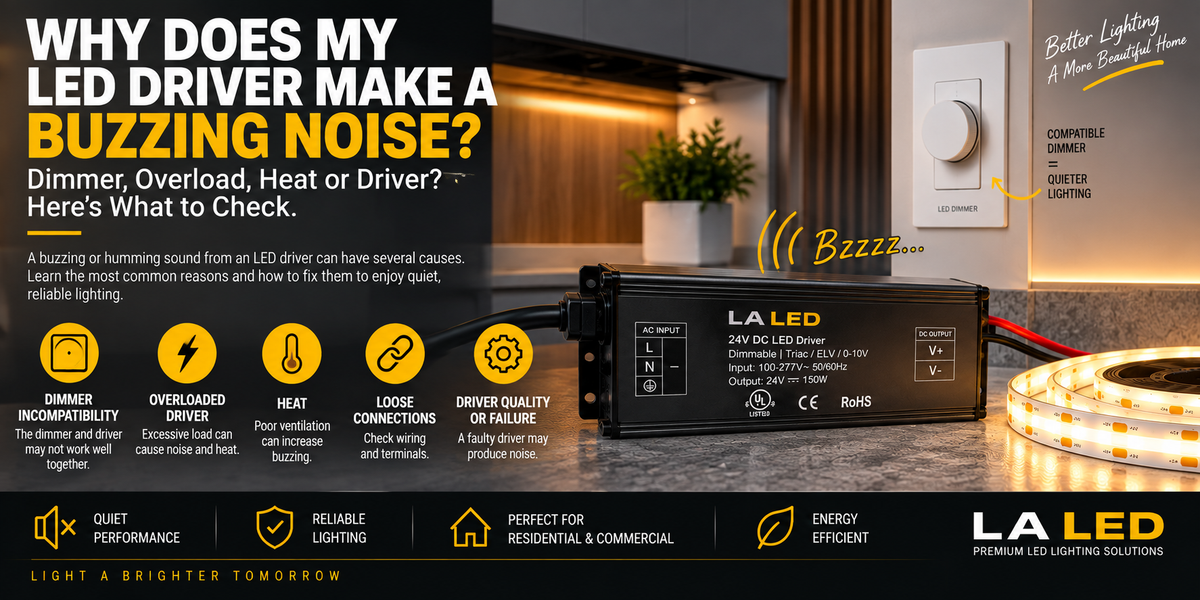
Why Does My LED Driver Make a Buzzing Noise?
You turn on your LED lighting and everything appears to work normally.
But when the room becomes quiet, you hear it:
Bzzzzzz...
The sound seems to be coming from the LED driver or transformer.
Sometimes it becomes louder when you dim the lights.
Other times it only appears after the system has been operating for a while.
So, why does an LED driver buzz?
A faint audible sound can occur with some electronic power components under certain conditions. But a loud, new, irregular, or increasing buzzing noise deserves attention.
Possible causes include:
- Dimmer compatibility
- Electrical load
- Internal component vibration
- Loose connections
- Driver mounting
- Overheating
- Input-power conditions
- Aging components
- Driver quality or failure
The key is identifying when the buzzing occurs.
That can provide an important clue about its cause.
First, Where Is the Noise Actually Coming From?
Before replacing the LED driver, determine where the sound originates.
Possible sources include:
LED Driver
Wall Dimmer
LED Controller
LED Fixture
Loose Electrical Connection
Nearby Electrical Equipment
Sound can travel through walls, cabinets, aluminum channels, and ceiling cavities, making the source difficult to identify.
Try to determine whether the noise is strongest near the driver itself.
Is It Normal for an LED Driver to Buzz?
Some electronic components can produce a small amount of audible noise during operation.
However, a properly designed and compatible LED lighting system should generally not create distracting buzzing in normal residential use.
Pay particular attention when:
- The buzzing is loud
- The sound suddenly begins
- It becomes progressively louder
- The driver becomes excessively hot
- LEDs flicker at the same time
- The driver repeatedly shuts down
- You notice discoloration or a burning smell
These symptoms require further investigation.
1. The Dimmer May Be Causing the Buzzing
This is one of the most common areas to investigate.
A dimmable LED driver and wall dimmer need to work properly together.
If the dimmer modifies the AC waveform in a way the driver does not handle well, components inside the driver may vibrate audibly.
You might notice:
100% brightness → Quiet
70% → Slight buzz
30% → Louder buzz
If the sound changes dramatically as you move the dimmer, dimmer/driver interaction is a strong suspect.
2. “Dimmable” Doesn't Mean Compatible with Every Dimmer
This is extremely important.
A driver labeled:
DIMMABLE
isn't automatically compatible with every wall dimmer.
LED drivers may support different control methods, including:
- TRIAC
- Forward-phase
- Reverse-phase / ELV
- MLV
- 0–10V
- PWM or other controller-based systems
Some multi-mode drivers support several dimming methods.
Always verify the actual driver's specifications. If you don't know which method your existing wall dimmer uses, our 5-in-1 Dimmable LED Drivers accept TRIAC, ELV, MLV, 0–10V and PWM in one unit, which removes protocol mismatch as a cause.
3. An Older Dimmer Could Be the Problem
Older dimmers may have originally been designed around incandescent or halogen loads.
LED lighting behaves very differently electrically.
A dimmer may technically turn an LED system on and off while still producing poor dimming performance.
Symptoms may include:
- Buzzing
- Flickering
- Flashing
- Limited dimming range
- Sudden shutoff
- Lights remaining faintly illuminated
If an older dimmer was retained when the lighting was upgraded to LED, compatibility is worth checking.
4. Why Does the Buzz Get Louder When I Dim the LEDs?
This pattern often points toward the dimming system.
At different dimmer positions, the driver sees a different electrical waveform or control condition.
Internal magnetic or electronic components can respond differently at different operating points.
That is why you may experience:
Full Brightness → Almost Silent
but
Low Brightness → Audible Buzz
If this happens, don't immediately assume the LED strip itself is defective.
Investigate the:
Dimmer + Driver combination
first.
5. The LED Driver May Be Overloaded
A driver that is powering too much LED load may operate under excessive stress.
For LED strips, calculate the approximate total wattage:
Watts per Foot × Total Length = LED Load
For example:
If your COB strip consumes:
4.5W per foot
and your installation is:
20 feet
then:
4.5 × 20 = 90W
The driver needs to be appropriately sized for that load.
If you connect 90W of LED lighting to a driver rated for only 60W, the system is clearly undersized. A 150W 5-in-1 Dimmable LED Driver would suit that 90W installation with proper headroom.
Possible symptoms include:
- Buzzing
- Excessive heat
- Flickering
- Shutdown
- Restarting
- Reduced reliability
6. Should You Leave Extra Driver Capacity?
For many installations, operating a driver continuously at its absolute maximum rating isn't the preferred design approach.
A commonly used guideline is to provide approximately 20% additional capacity, although the driver's manufacturer requirements should always take priority.
For example, if your calculated load is:
80W
you might consider a driver around:
100W
when the specific product specifications and installation conditions support that selection—the 100W 5-in-1 Dimmable LED Driver covers exactly that case.
Proper sizing can improve system reliability and thermal performance.
7. Can Too Little Load Cause Buzzing?
Potentially, particularly when dimming is involved.
Some drivers and dimmers have specified minimum operating loads.
If the connected LED load falls outside the intended range, the combination may behave poorly.
This can result in:
- Buzzing
- Flickering
- Poor low-end dimming
- Unstable startup
Check both the driver and dimmer specifications. Some drivers state this range explicitly—our 60W Compact Dimmable Transformer (12V), for example, is specified for 0–100% dimming across a 20–100% load range.
8. Loose Electrical Connections Can Make Noise
Buzzing shouldn't automatically be blamed on the electronics inside the driver.
A poor electrical connection can also create abnormal behavior—and may present a safety concern.
Inspect appropriate connections for:
- Loose terminals
- Damaged wires
- Poor splices
- Overheated terminals
- Improper connections
If the issue involves line-voltage wiring and you're not qualified to inspect it safely, use a qualified electrician.
9. The Driver's Mounting Can Amplify the Sound
Sometimes the driver itself is producing only a small amount of vibration, but the mounting surface makes it sound much louder.
For example, a driver attached to:
- Thin sheet metal
- Hollow cabinet
- Ceiling panel
- Resonant enclosure
may transfer vibration into the surrounding material.
The surface then acts almost like a speaker.
You might hear:
Small Driver Vibration → Large Audible Buzz
This is why identifying the actual sound source matters.
10. Don't Cover the Driver Just to Make It Quieter
If the driver is noisy, don't wrap it in:
- Foam
- Fabric
- Insulation
- Other materials
simply to block the sound.
LED drivers need to be installed according to their manufacturer's thermal and ventilation requirements.
Blocking heat dissipation can create a much bigger problem than noise.
Solve the cause of the buzzing rather than simply muffling it.
11. Heat Can Be a Warning Sign
LED drivers generate some heat during normal operation.
But if the driver is:
Very Hot + Buzzing
investigate further.
Potential causes include:
- Excessive load
- Poor ventilation
- High ambient temperature
- Installation in a confined location
- Electrical problem
- Internal component deterioration
If the driver also begins shutting down after becoming hot, thermal protection may be activating.
12. Why Does the Driver Start Buzzing After 20 Minutes?
This is an important troubleshooting clue.
Suppose:
Turn On → Quiet
10 Minutes → Slight Buzz
30 Minutes → Loud Buzz
Temperature may be influencing the behavior.
As internal components heat up, their electrical or mechanical characteristics can change.
Check:
- Driver load
- Ventilation
- Ambient temperature
- Installation location
- Manufacturer temperature limits
A driver that becomes significantly noisier as it heats deserves closer inspection.
13. Internal Components Can Physically Vibrate
An LED driver contains electronic components that convert and regulate electrical power.
Depending on the design, components such as:
- Inductors
- Transformers
- Coils
can experience tiny physical vibrations.
If those vibrations fall within the audible frequency range, you may hear them as:
Buzzing
Humming
or sometimes:
High-pitched whining
The quality of the driver and its internal construction can influence how noticeable this becomes.
14. Is Buzzing the Same as Coil Whine?
The terms are sometimes used interchangeably in everyday conversation, although the sounds can differ.
Buzzing / humming may sound lower in frequency.
Coil whine often describes a higher-pitched electronic tone associated with vibrating magnetic components.
Either can change depending on:
- Electrical load
- Dimming level
- Input conditions
- Driver design
The important question isn't necessarily what you call the noise.
It's whether the sound is normal for that product and operating condition or indicates a compatibility or hardware problem.
15. Can a Bad LED Driver Buzz?
Yes.
A driver with deteriorating internal components may begin making sounds that weren't present previously.
This becomes more concerning when the new noise occurs together with:
- Flickering
- Random shutdown
- Unstable output
- Excessive heat
- Failure to start
- Burning odor
- Visible damage
If a previously quiet driver suddenly becomes noticeably loud, don't ignore the change.
16. Can the Power Supply Voltage Cause Problems?
The driver must be appropriate for the LED system.
For constant-voltage strip lighting:
24V COB Strip → Compatible 24V Driver
12V Strip → Compatible 12V Driver
Using an incorrect driver is not a valid way to obtain more power.
Voltage and wattage are different specifications.
Always match the required output voltage first. A selectable unit such as the 60W 5-in-1 Dimmable LED Driver (12V / 24V) can be set to either output, which avoids ordering the wrong one.
17. Could the LED Strip Cause Driver Noise?
Indirectly, yes.
The driver responds to the electrical load connected to it.
If the LED installation contains:
- Short circuit
- Damaged section
- Incorrect wiring
- Excessive load
- Problematic controller
the driver's operating conditions may change.
So troubleshooting shouldn't stop at the driver.
Think of the system as:
Power → Dimmer → Driver → Controller → LED Strip
depending on the installation.
18. Can Long LED Strip Runs Contribute?
Long strip installations can create additional electrical challenges.
Potential issues include:
- Voltage drop
- High current
- Excessive total load
- Undersized wiring
- Poor power distribution
For long runs, you may need:
- Parallel feeds
- Power injection
- Proper wire sizing
- Multiple drivers
- Different driver placement
The exact solution depends on the LED strip and project. A multi-output unit such as the 192W Dual-Channel or 288W Triple-Output Transformer provides separate feeds from one enclosure instead of loading a single output.
19. What If the Driver Buzzes Only at Full Brightness?
If the buzzing is strongest at full output rather than during dimming, investigate:
- Total LED load
- Driver sizing
- Heat
- Wiring
- Driver condition
The system may be placing maximum demand on the driver at full brightness.
Calculate the connected load and compare it with the driver's rating. If the load is genuinely close to the rating, a larger unit such as the 200W 5-in-1 Dimmable LED Driver gives the system room to breathe.
20. What If It Buzzes Only at Low Brightness?
This points more strongly toward:
Dimmer ↔ Driver compatibility
or the driver's behavior at the lower end of its dimming range.
Check whether the dimmer has a low-end trim adjustment.
If the lighting becomes unstable or noisy only below a particular point, adjusting the minimum dimming level may help when supported by the dimmer.
21. Does COB LED Strip Cause Buzzing?
COB technology itself isn't normally the direct cause of a buzzing driver.
A COB strip is the LED load.
The noise is more likely related to the:
- Driver
- Dimmer
- Controller
- Electrical load
- Wiring
- System compatibility
A high-quality COB strip can still be connected to an incompatible dimmer/driver system. Our Indoor Dotless COB LED Strip (8mm) is fully dimmable, but that depends entirely on the driver and control it is paired with.
Therefore:
Good LED Strip ≠ Automatically Quiet Dimming System
All components need to work together.
22. Why Does the Wall Dimmer Buzz Instead of the Driver?
Sometimes the noise you think is coming from the driver is actually coming from the wall control.
A dimmer can also produce audible noise depending on:
- Load
- Compatibility
- Internal electronics
- Installation
- Product design
Stand close to both the dimmer and driver to identify the actual source.
If the wall dimmer itself is making an unusual or increasing noise, it should also be investigated.
One way to remove the wall dimmer from the system entirely is a driver with dimming built in. Our CCT LED Drivers with Built-in Dimmer are flicker-free, work with a standard 3-way switch, and control brightness and colour temperature from the driver itself.
23. What About 5-in-1 Dimmable LED Drivers?
Multi-mode LED drivers can provide more flexibility because some models support several control methods.
Depending on the product, these may include combinations of:
- TRIAC
- ELV
- MLV
- 0–10V
- Other dimming/control methods
Our own 5-in-1 range runs from the 30W through to the 300W model, all 12V/24V selectable and all supporting TRIAC, ELV, MLV, 0–10V and PWM.
But a 5-in-1 driver does not mean every possible dimmer will automatically perform perfectly.
Always check the specific driver's compatibility and wiring instructions.
How to Troubleshoot a Buzzing LED Driver
Use a systematic approach rather than replacing random components.
Step 1 — Identify the Noise Source
Determine whether the sound comes from:
Driver / Dimmer / Controller / Fixture
Step 2 — Change the Brightness
Test:
100% → 75% → 50% → 25%
Does the sound change?
If yes, dimming compatibility becomes an important suspect.
Step 3 — Calculate the LED Load
Check:
W/ft × Total Feet
and compare the result with the driver's specifications.
Step 4 — Verify Dimming Compatibility
Confirm that the driver and dimmer use compatible control methods. For standard residential wall dimmers, our Compact Dimmable LED Transformers cover TRIAC, ELV and MLV.
Step 5 — Inspect Connections
Check appropriate wiring and terminals for loose or damaged connections.
Step 6 — Check Temperature
Does the driver become excessively hot?
Does buzzing increase as temperature rises?
Step 7 — Check the Installation
Make sure the driver is installed according to manufacturer requirements and isn't using the surrounding structure as a vibration amplifier.
Step 8 — Test with Compatible Components
When appropriate and performed safely, testing with a known-compatible dimmer or driver can help isolate the problem.
Quick Diagnostic Table
| Symptom | What to Check |
|---|---|
| Buzzing only while dimming | Dimmer/driver compatibility |
| Louder at low brightness | Dimming range / low-end behavior |
| Louder at 100% | Load and driver sizing |
| Buzzing + flickering | Dimmer, driver, wiring, load |
| Buzzing + excessive heat | Load, ventilation, driver condition |
| Starts buzzing after warming up | Temperature/load |
| Buzz changes when touching enclosure | Mounting/resonance |
| Dimmer buzzes instead | Dimmer/load compatibility |
| New buzz from old driver | Driver deterioration |
| Buzz + burning smell | Turn system off and investigate |
When Should You Be Concerned?
A faint, stable sound isn't necessarily evidence of imminent failure.
But take the issue more seriously when buzzing is:
- Loud
- New
- Increasing
- Irregular
or accompanied by:
- Flickering
- Excessive heat
- Shutdown
- Burning smell
- Smoke
- Discoloration
- Melted insulation
- Damaged terminals
If you notice a burning smell, smoke, or visible electrical damage, turn off the system and have it inspected before using it again.
Should You Replace a Buzzing LED Driver?
Not automatically.
First determine whether the problem is caused by:
Dimmer
Load
Wiring
Mounting
Temperature
or
Driver
If the driver is correctly sized, properly installed, operating with compatible controls, and still produces unacceptable or abnormal noise, replacement with an appropriate quality driver may be reasonable. Our full range of LED drivers and transformers lists output voltage, wattage, load range and dimming methods on every product page.
Can a Better LED Driver Reduce Buzzing?
Potentially, yes.
Driver design and component quality can influence acoustic performance.
But simply buying a more expensive driver won't solve:
- Incorrect dimmer compatibility
- Overloading
- Poor wiring
- Incorrect installation
The entire system must be properly matched.
How to Prevent LED Driver Buzzing
Before installation:
- Calculate the total LED load.
- Choose the correct output voltage.
- Select an appropriately sized driver.
- Match the driver and dimmer.
- Check manufacturer compatibility information.
- Provide proper ventilation.
- Make secure electrical connections.
- Install the driver correctly.
- Test dimming before completing the installation.
- Test the full brightness range.
Steps 2 through 4 are all decided at the point of purchase, so compare drivers on voltage, capacity and supported dimming methods before ordering rather than after.
It's much easier to solve compatibility problems before the driver is hidden inside cabinetry or an architectural installation.
Final Thoughts
So, why does your LED driver make a buzzing noise?
The most common areas to investigate are:
Dimmer Compatibility + Driver Load + Wiring + Heat + Mounting + Driver Condition
The timing of the noise provides useful clues.
If the buzz changes when you adjust the dimmer:
Check dimmer/driver compatibility.
If it becomes loud at maximum brightness:
Check the load and driver capacity.
If it appears after the driver gets hot:
Check ventilation, temperature, and load.
If an older driver suddenly begins buzzing:
Investigate the driver itself.
And remember:
A buzzing LED driver isn't automatically a bad driver.
The driver is part of a complete system, and troubleshooting the LED strip, load, dimmer, wiring, and driver together usually leads to a more accurate diagnosis.
FAQ
Is it normal for an LED driver to make a buzzing noise?
A faint sound may occur with some electronic drivers under certain conditions, but loud, new, or increasing buzzing should be investigated.
Why does my LED driver buzz when I dim the lights?
This commonly points to interaction between the dimmer and LED driver, particularly if the noise changes at different brightness levels.
Can an incompatible dimmer make an LED driver buzz?
Yes. A dimmer and driver that aren't designed to work well together may produce buzzing, flickering, or poor dimming performance. A 5-in-1 dimmable driver supports five control methods, which rules out protocol mismatch.
Can an overloaded LED driver buzz?
Yes. Excessive load can place additional stress on the driver and may be associated with noise, heat, flickering, or shutdown.
Why does my LED driver buzz more at low brightness?
The driver may behave differently at the lower end of its dimming range, or the dimmer/driver combination may be unstable at that level.
Can a bad LED driver make noise?
Yes. Internal deterioration can sometimes cause new or increasing buzzing, especially when accompanied by heat, flickering, shutdowns, or unstable output.
Does a buzzing LED driver need to be replaced?
Not necessarily. First check dimmer compatibility, electrical load, connections, temperature, and installation. If those are correct and the driver remains abnormally noisy, replacement may be appropriate.
Why does my LED driver start buzzing after it gets warm?
Temperature can affect internal components. Check the load, ventilation, ambient temperature, and driver condition.
Can COB LED strips cause a driver to buzz?
COB technology itself is not usually the direct cause. The issue is more commonly related to driver design, dimming, electrical load, wiring, or system compatibility.
Is buzzing dangerous?
Buzzing alone doesn't necessarily indicate an immediate hazard, but buzzing accompanied by excessive heat, burning smell, smoke, damaged wiring, or discoloration requires immediate attention.